Rhizo

Write to move thought toward unlikely places.

Rhizo is a scratchpad for nonlinear thinking. It offers a form of writing between note-taking and mind mapping. As thought unfolds in writing, you can connect texts, read and edit connected texts together, and meander through their links.

Rhizo is link-centric. Edit context whole, not files apart. Rhizo is for moving your own thought along links toward unlikely places. Rhizo stores your writing in .txt files and connects it with wikilinks.

Download for macOS (alpha)
Edit context whole, not files apart.

Thought doesn't stay put; it drifts, accumulates, outgrows the single file. Rhizo is built for that crossing. Files become part of a connected whole, rather than separate places to work.

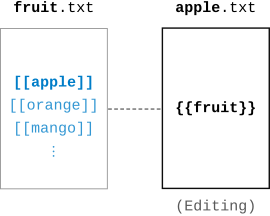
  • — Mention [[any file]].
  • — Invoke {{other text}} to mention this file.

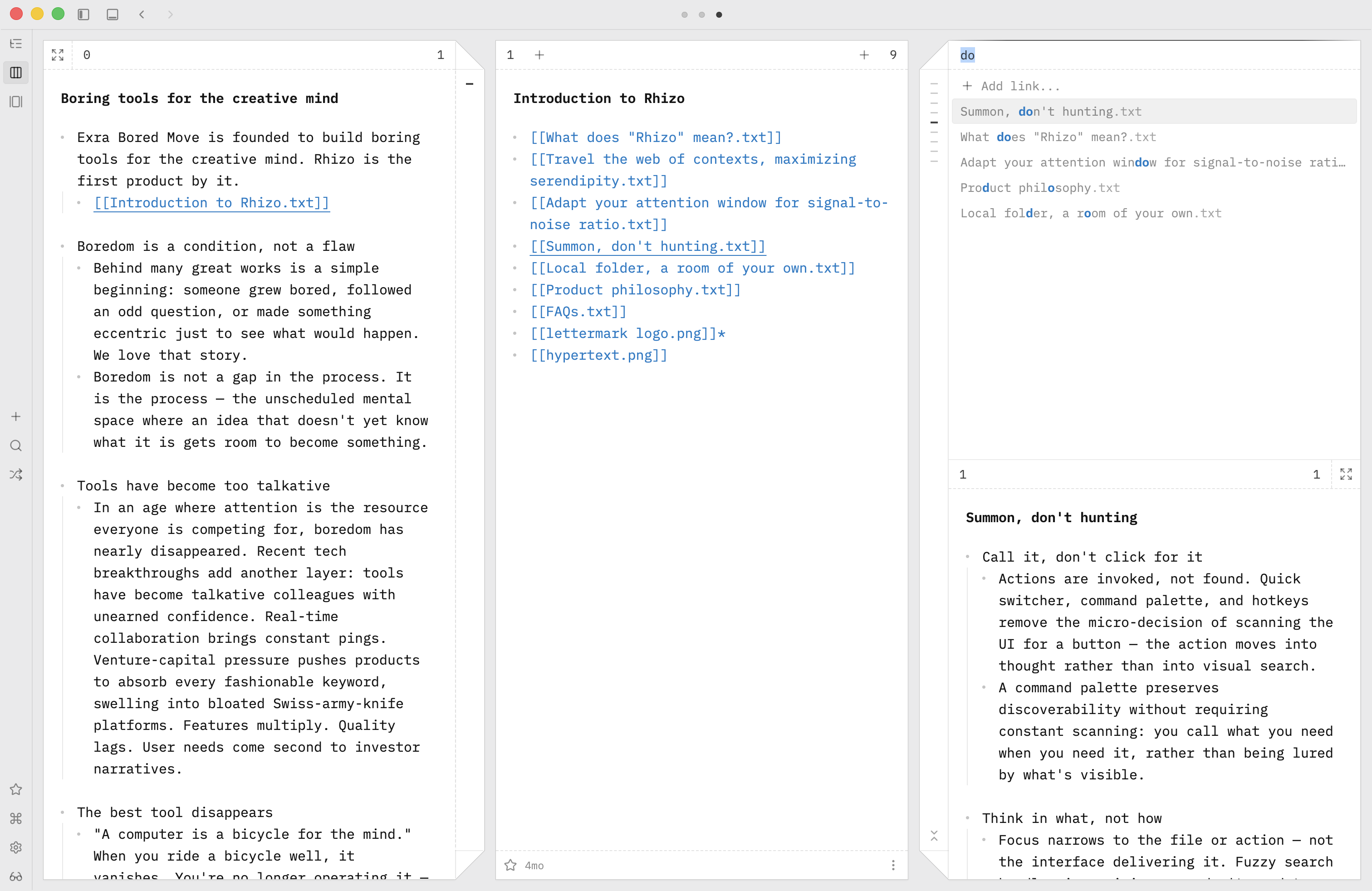
Triptych for sideways. Every thought is intermezzo.

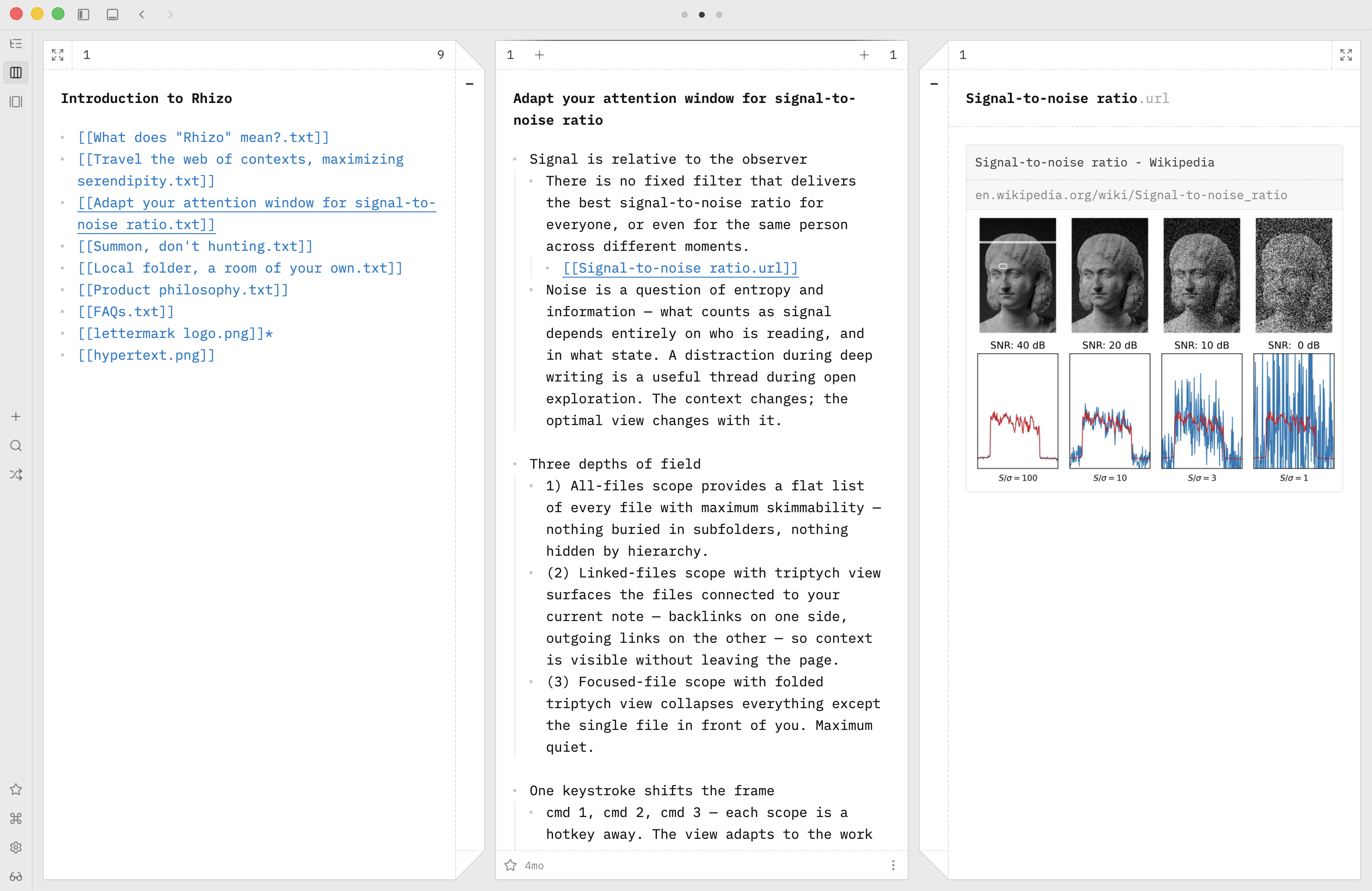
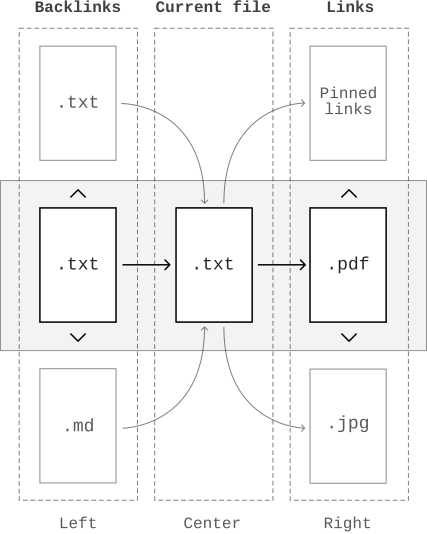
Meaning shifts with its neighbors, much like color shifts with its surroundings. Triptych view places the current file flanked by its backlinks and links. And you decide what stays in frame.

Diagram of backlinks, the current file, and links arranged around the current file in Rhizo

Navigation as wandering. Wandering as thinking.

Wandering is a thinking mode as much as reading or writing. Walk through your own mind; Rhizo keeps it effortless. Otherwise it's not wandering, it's work.

  • — (Arrow keys) Meander through links
  • — (⌘↵) Enter another context
  • — (⌘J) Jump to a distant thought

Link is all you need. No folders. No hashtags.

Backlinks gather scattered files into one place: a simple text file.

  • — Type {{anything}} like a tag.
  • — ⇧⌘[ adds a backlink from the file browser.
Diagram of a file linking to another file in Rhizo

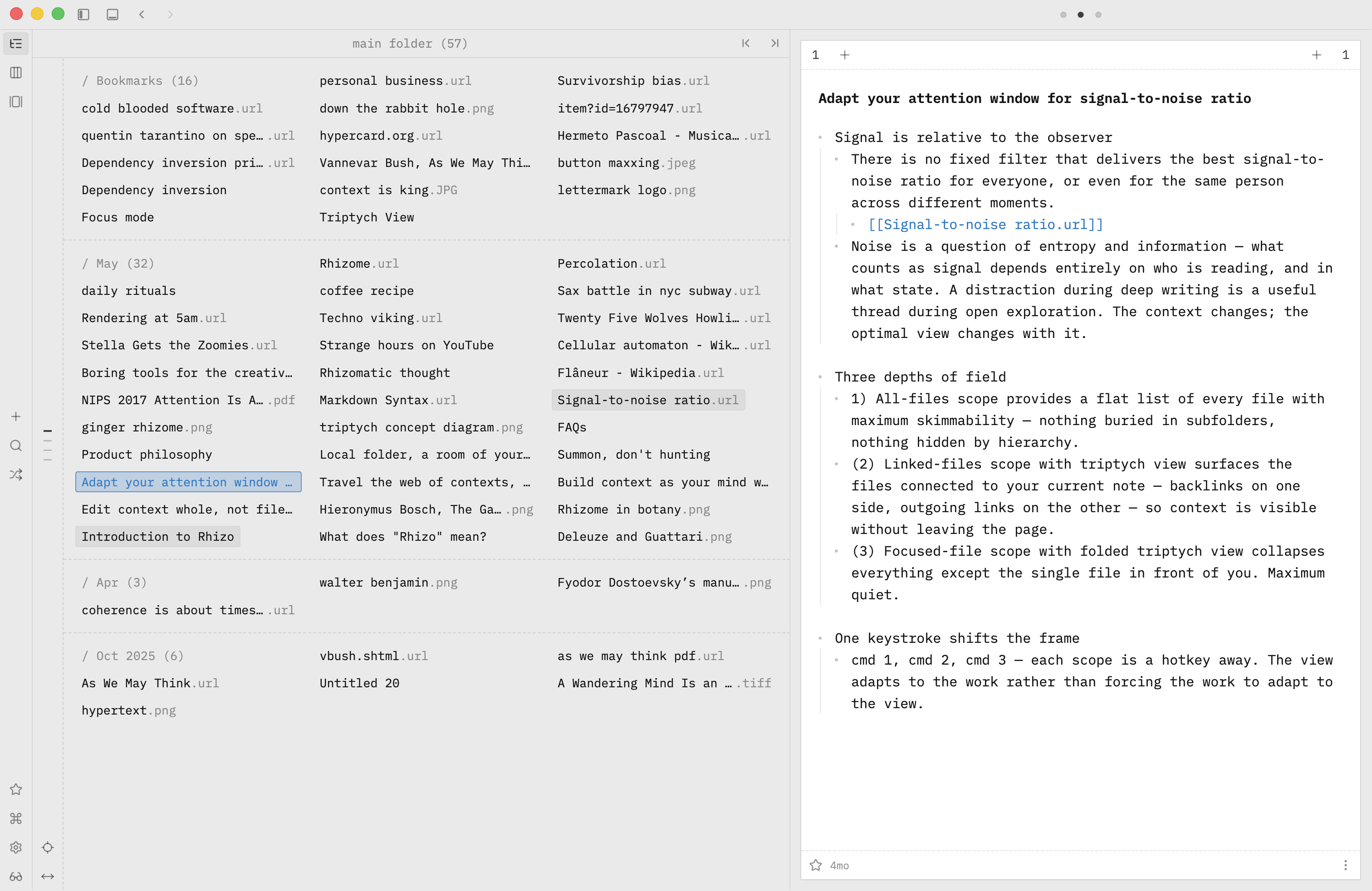
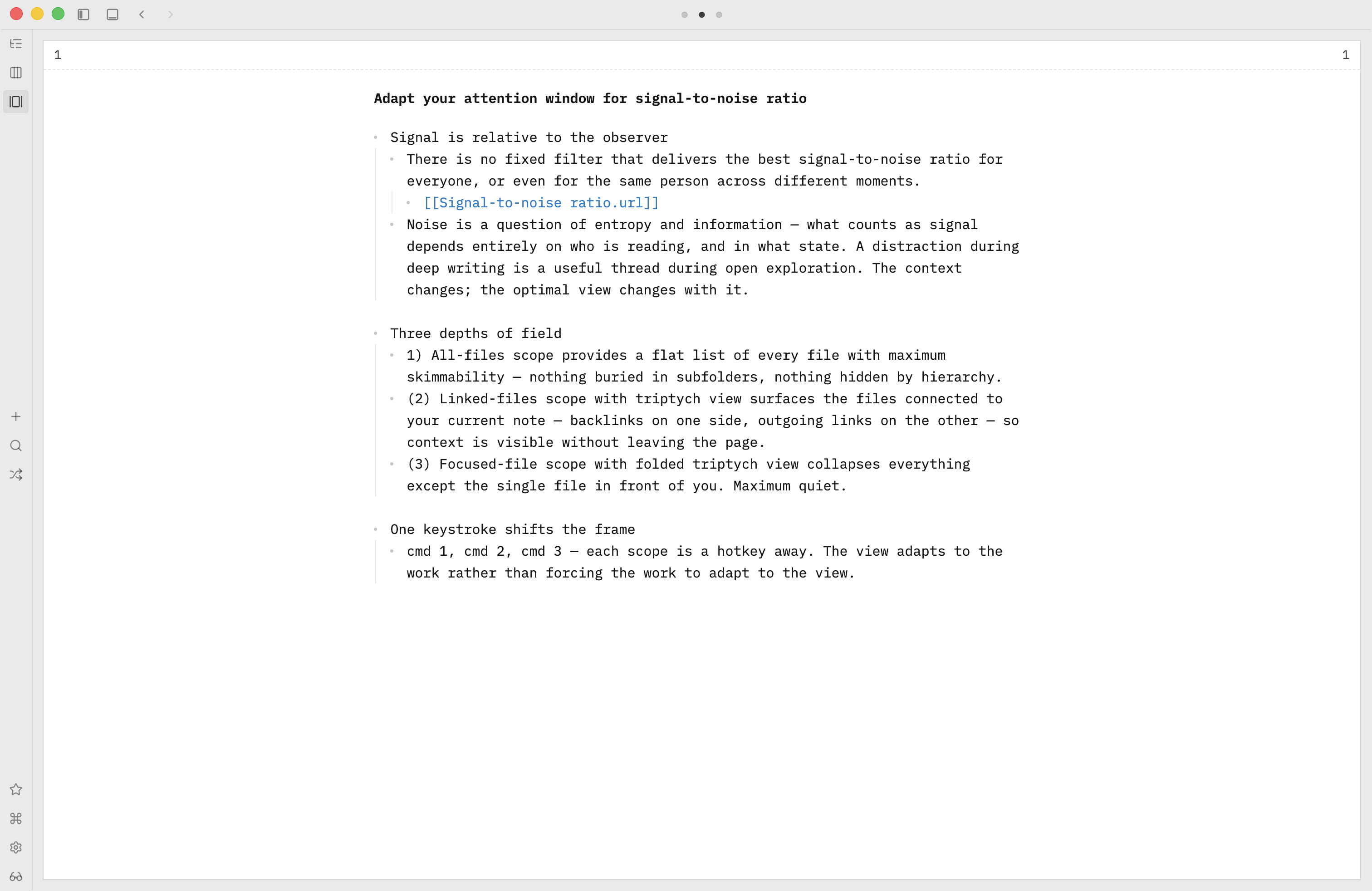
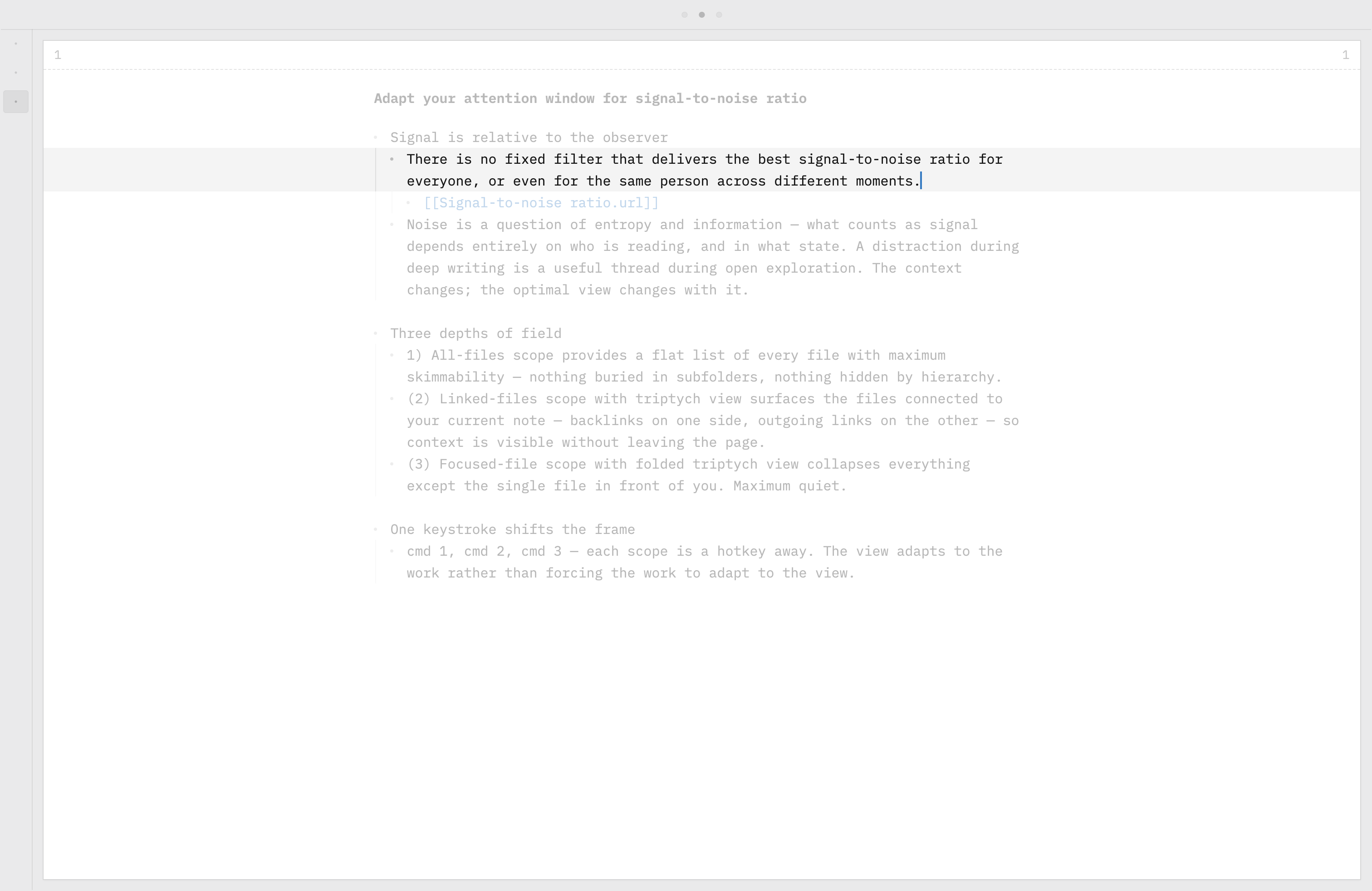
Signal keeps shifting. Adjust attention window.

As work evolves, signal and noise keep shifting places. Adapt the frame in motion: three workspace layouts, plus a focused edit mode. Each has its own shortcut; switch at the speed of thought.

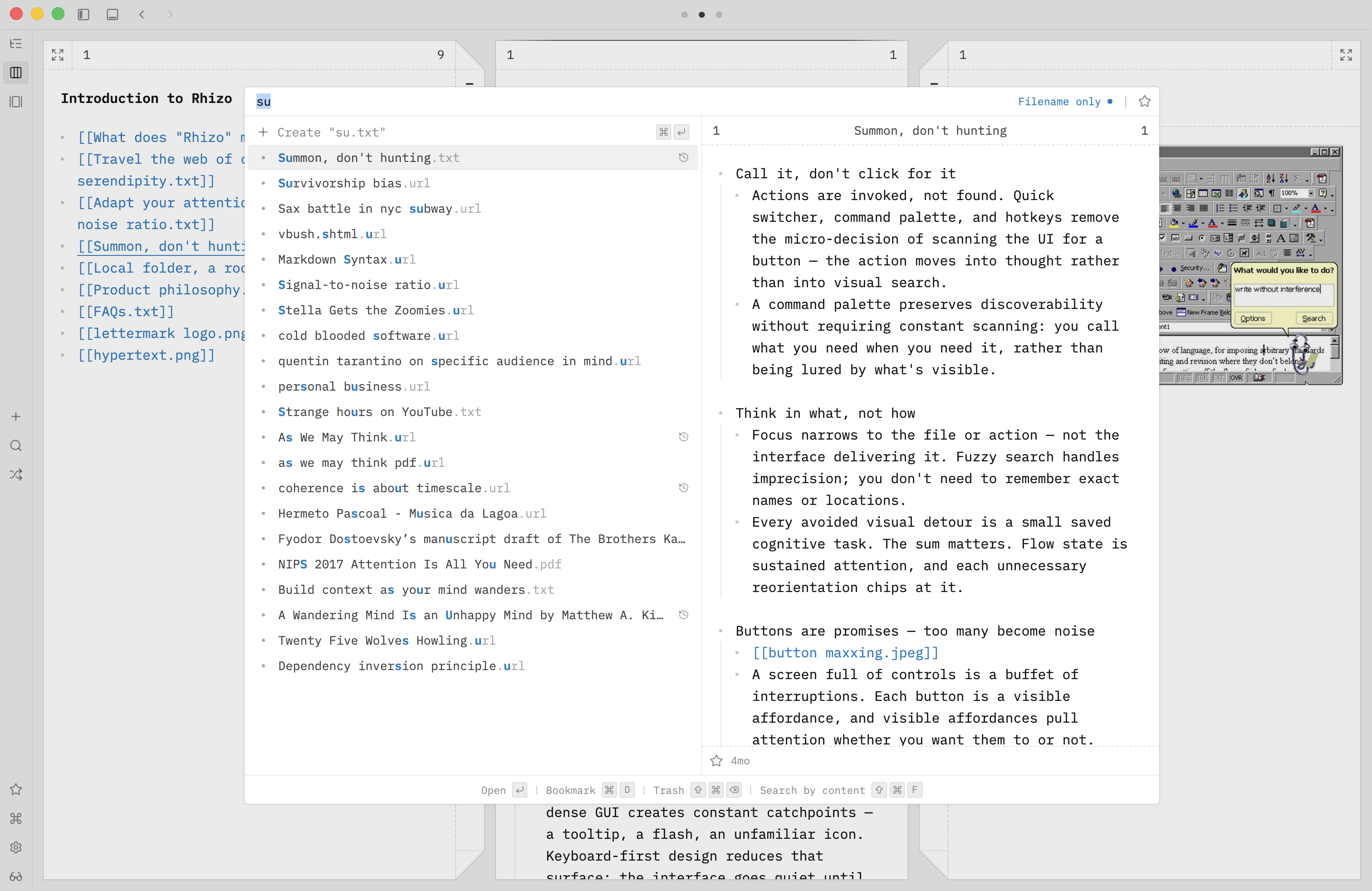
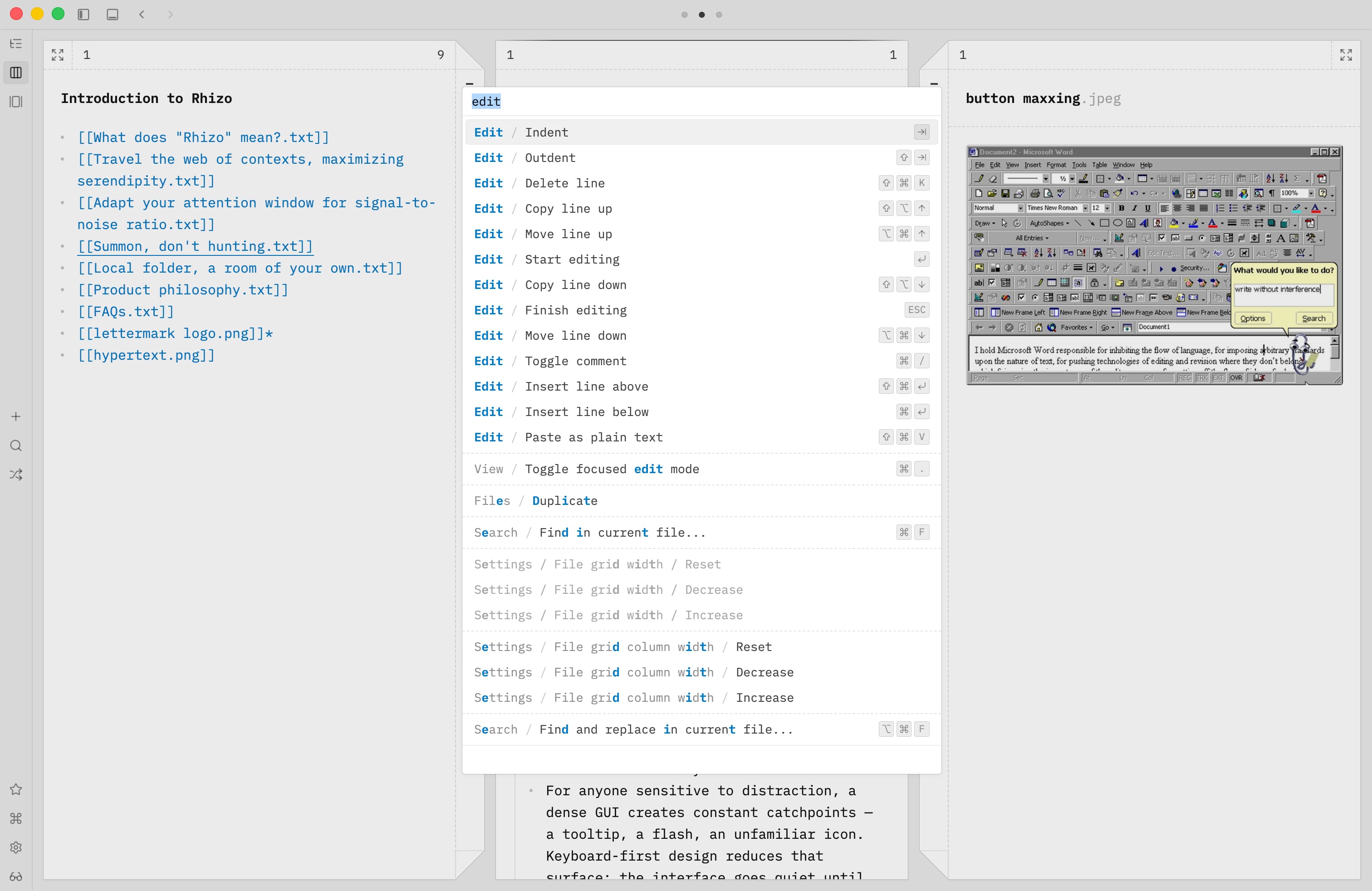
Summon, don't hunt. Keyboard first.

Keep typing it out. Push thought forward as the caret moves. Don’t leave the keyboard. Files and commands are only a few keystrokes away. No button hunting required.

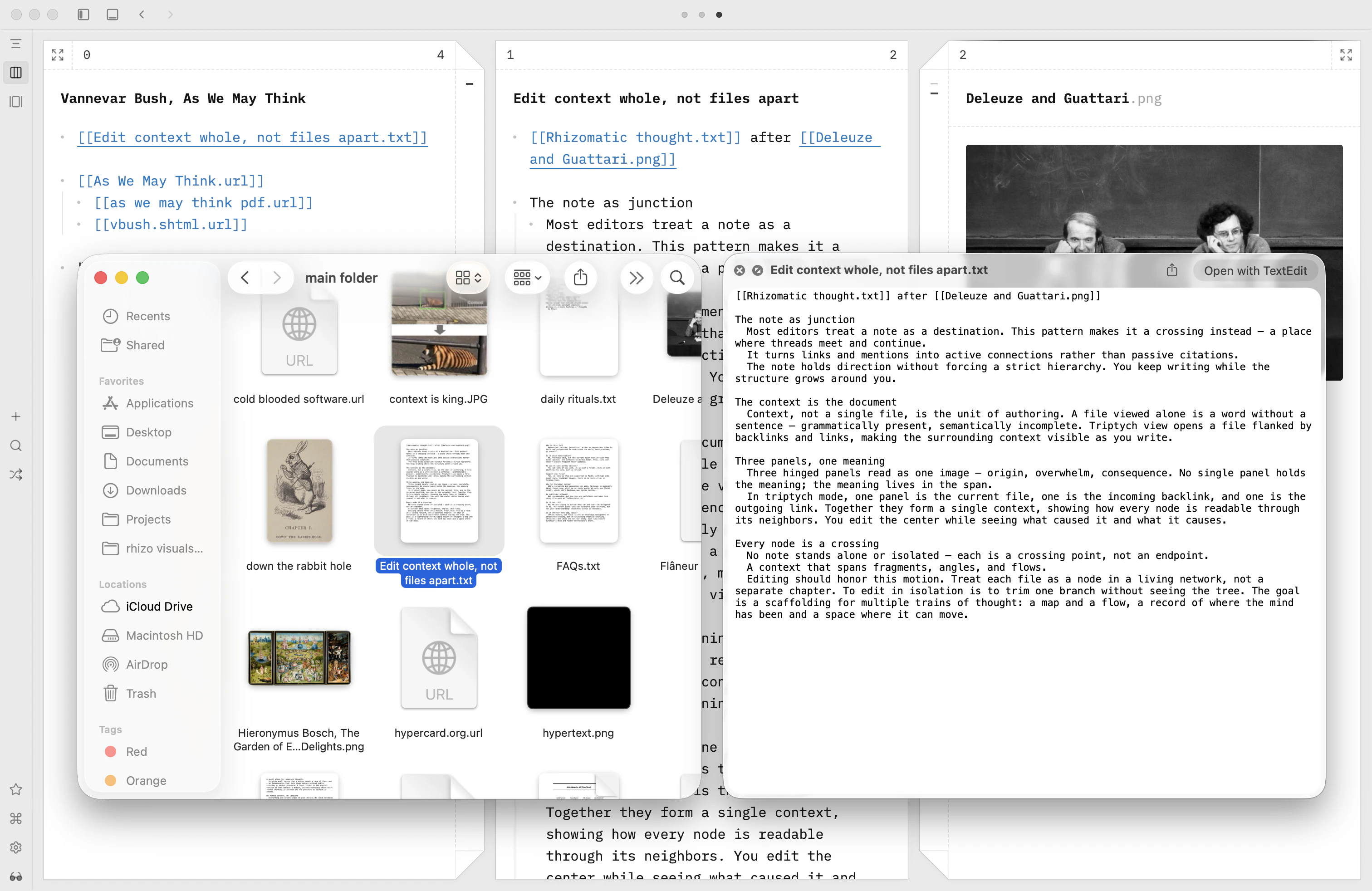
Local folder, a room of your own.

A quiet, safe place for your private, unfinished thoughts and feelings. All data stays with you and is never stored on remote servers. Plain text and open formats, built to last.

Screenshot of a local Rhizo folder with a document preview on macOS

Philosophy

Words are breadcrumbs, not the destination. Rhizo moves thought away from established structures and norms toward unlikely places.

To think, not to polish. Rhizo has no formatting features: the omission is deliberate. Being ugly, clumsy, and quick should be encouraged over being pretty. Like a napkin sketch.

Adding more is the easiest, no-philosophy decision, but it unmakes the tool’s form. As the tool bloats into a ‘platform,’ complexity hijacks your attention, the scarcest resource.

It is the ultimate question by which we shape Rhizo toward a place where the tool itself recedes and your thoughts surface. Not vice versa.

FAQs

Rhizo: Scratchpad for Nonlinear Thinking